Hey readers, we are back with another interesting topic that would help you improve your Shopify Store Speed. We are already aware that SEO plays a very important role in driving potential customers into your Shopify store.
As long as search engines keep introducing new game rules that could have a substantial impact on your store’s search placements if correctly addressed, maintaining your SEO ranks will always be a lifelong process.
Come into the world of Shopify Core Web Vitals, a modern rule that cries out for your full focus. Google started penalizing websites with poor Core Web Vitals in the middle of June 2021.
These cutting-edge web speed measurements are extremely important for the overall user experience of your customers. These KPIs should be given top consideration by individuals who are committed to maintaining SEO for their Shopify storefront.
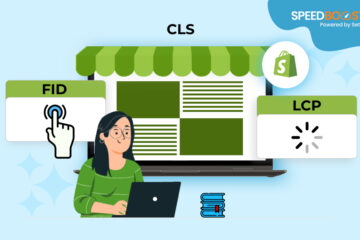
What precisely are these Core Web Vitals, then? They include three cutting-edge website performance indicators that assess how quickly and steadily your site loads, how responsive it is to user inputs, and how stable it is while loading (minimizing shifting).
These metrics have been recognized by Google as useful indicators of visitors’ satisfaction with your website. To ensure positive user experiences and maintain your store’s SEO prowess, it is crucial to adopt and optimize Core Web Vitals.
What are Core Web Vitals?
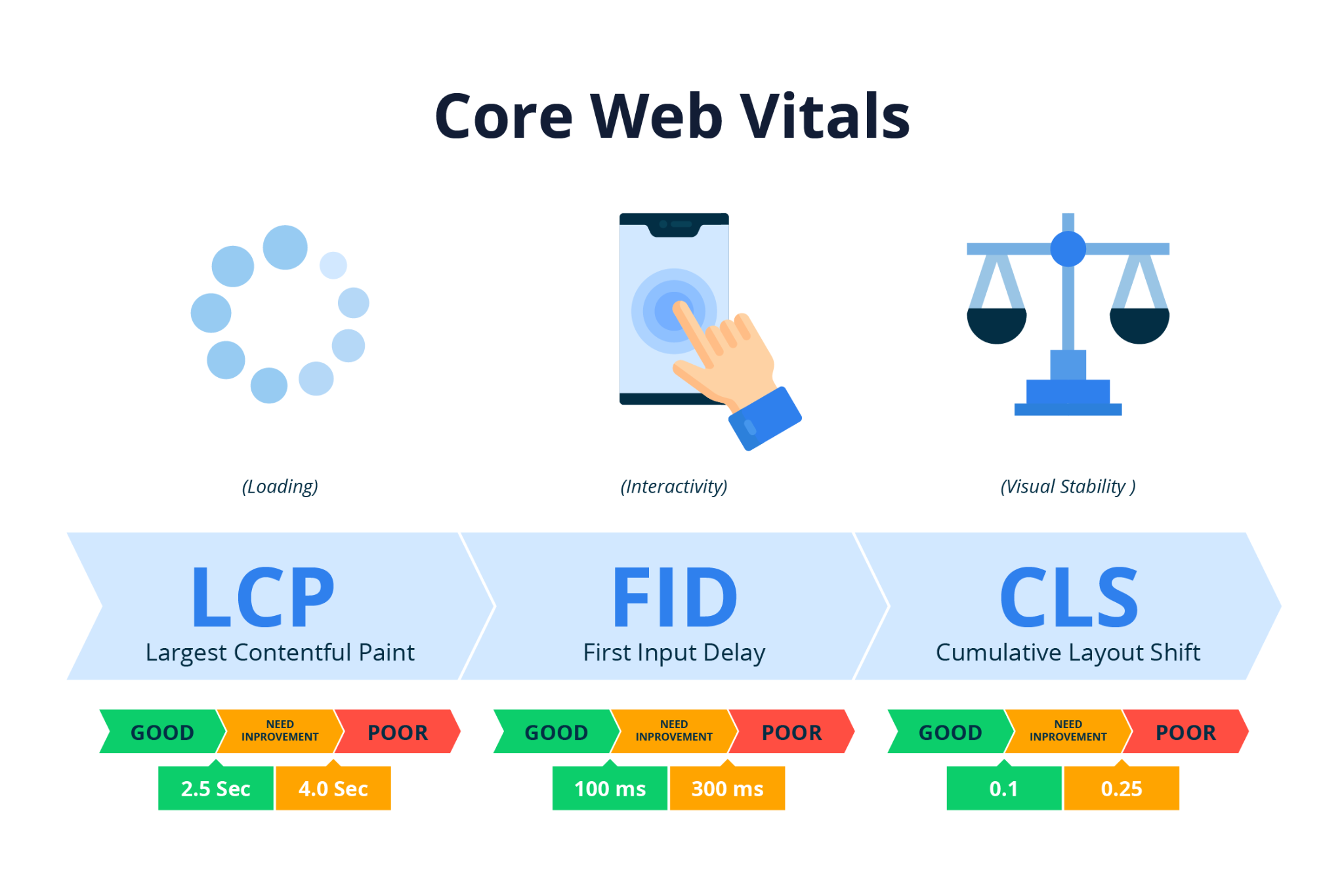
Google uses a collection of indicators that helps to measure that effectiveness and user experience of web pages and this is known as Core Web Vitals. URLs are rated for each standard such as “Green – Good”, “Yellow – Needs Improvement”, or “Red – Poor”.
You need to understand that, Scores of the Core Web Vitals will directly impact the ranking of your Search Engine. And, now let us understand some of the important terms of Core Web Vitals;
LCP – Largest Contentful Paint
The total time it takes to render the largest element onto the screen when a user has landed on the page.
CLS – Cumulative Layout Shift
When your page starts loading, how much does the design of the page shift?
FID – First Input Delay
Total time it takes to load your page in order to become responsive for interactions?
Why is Core Web Vitals Important for Shopify Store?
Google gives users a nice browsing experience by directing them to your websites. It also helps Google’s trustworthiness and brand image to provide customers with relevant, user-friendly, and high-performance websites.
It’s been proven that efficient website performance improves user interaction. Customers are more likely to stay and complete transactions on your site when it loads quickly.
According to Google’s research, having strong Shopify Core web Vitals helps you give your customers a good user experience. Apart from that, users are 24% more likely to stay on your webpage.


How to Improve the Largest Contentful Paint for Shopify Store?
To enhance your Shopify store LCP performance, begin by pinpointing the areas of concern. Assess your Core Web Vitals through the Search Console. Once you’ve identified pages with suboptimal LCP.
Employ PageSpeed Insights to dissect the predominant content on the scrutinized page. Input the page’s URL and click Analyze.
After loading, a comprehensive report will unfold. Direct your attention to the Diagnostics section (midway down the page), specifically the entry for Largest Contentful Paint.
This segment reveals the focal point of the largest content on the page. Elevate your Shopify Core Web Vitals to bolster your site’s search engine ranking.
When it comes to fixing your LCP related issues can be done by adding the preload hints to your HTML code. Preload hints are the predefined command that instructs the browser which images, scripts, stylesheets along with other resources that are most important for your page.
For Example:
<link rel =”preload” href= “hero-image.jpg” as “image”>
Items which are preloaded includes certain things which are:
- Images.
- Fonts
- JavaScript
- CSS
- Audio Files
- Videos
How to Improve the Cumulative Layout Shift for Shopify Store?
Find trouble spots in Cumulative Layout Shift (CLS) to improve your Shopify store’s Core Web Vitals for better performance. To start, look through your Core Web Vitals in the Search Console to find the pages that have the most serious CLS concerns.
Utilize PageSpeed Insights next to investigate the underlying reasons for layout changes on the analyzed pages. Enter the URL of the page and then click Analyze. After loading, a thorough report will be produced.
Look for the advice to “Avoid large layout shifts” in the Diagnostics portion of the report, which is halfway down. This realization will make clear the precise causes of the page’s layout changes.
How to Improve First Input Delay for Shopify Store?
For many Shopify stores, Shopify Core Web Vitals like FID usually isn’t a big problem. Yet, if you’re noticing it’s a concern for your website, a sluggish FID time might be due to third-party code.
This code can at times take too much time to load, causing the web browser to hang. To enhance FID on your site, our suggestion is to reduce the reliance on apps.
While an app’s feature might seem like a fantastic boost for your store, think about the actual value it brings to your customers. Incorporating it means utilizing a script that’s beyond your control, potentially slowing down your site’s response to customer clicks.
How to Check the Core Web Vitals for Shopify Store?
There are many ways to find the Core Web Vitals for your Shopify store, but using Google Search Console is the simplest. Shopify Core Web Vitals are conveniently located here and can be reached via the menu under the Enhancements heading.

So, let’s Discover your Shopify Core Web Vitals with ease through any of these user-friendly tools:
Uncover to enhance your Shopify website’s performance and secure that top spot in search engine rankings. Monitoring and optimizing your Shopify Core Web Vitals is made simple with these accessible options. Don’t miss out on the chance to improve user experience and boost your website’s visibility today!
Impact of optimizing Core Web Vitals
Enhancing your online shop for better Shopify Core Web Vitals enhances user experience by boosting your Shopify Speed Score and stability. This leads to longer site visits and higher conversions, creating a win-win scenario.
By optimizing Core Web Vitals, you not only retain visitors but also improve SEO, making it simpler to attract new customers. Elevate your store’s performance and watch as it thrives.
Conclusion
SpeedBoostify provides insights into assessing and enhancing Core Web Vitals for Shopify stores. Below is a table summarizing the key points discussed:
| Topic | Summary |
| What are Core Web Vitals? | Key performance metrics: LCP (loading), FID (interactivity), CLS (visual stability). |
| Why It Matters | Impacts SEO, UX, and conversion rates for Shopify stores. |
| Tools to Check | Google Search Console, PageSpeed Insights, Lighthouse, Chrome DevTools, Web Vitals Extension. |
| How to Improve | – Optimize server response & images for LCP – Minimize JS for FID – Set dimensions to fix CLS |
| Benefits | Faster load times, higher engagement, better rankings. |
In essence, it’s crucial to give your visitors a seamless online shopping experience. Maintaining your Shopify Core Web Vitals ensures quick loading times and the best user experience. Allowing sluggish performance may limit your store’s potential.
Utilize these insights to assess and improve the Core Web Vitals of your website. Remember that giving these things priority not only improves consumer satisfaction but also moves your shop closer to the desired top spot in search engine rankings. Keep improving, and see how well your Shopify store does.
We’ve been quite successful in assisting our clients in enhancing their Core Web Vitals and removing mistakes from their Search Console. Get in touch with us, and we’ll be pleased to assist your store operate at peak efficiency.